How to Make a Beer Recipe with AI: Style, Ingredients and Checks
Develop a beer recipe with AI: supply style and equipment details, check the grain bill and hop schedule, and prepare your brew day. Includes free-entry and Pro limits.
Just need the numbers? → Free brewing calculators (IBU, ABV, OG …)
Create your beer recipe with AI — start now
Free, no signup — 73 styles, validated grain bill in seconds
How to Make a Beer Recipe with AI
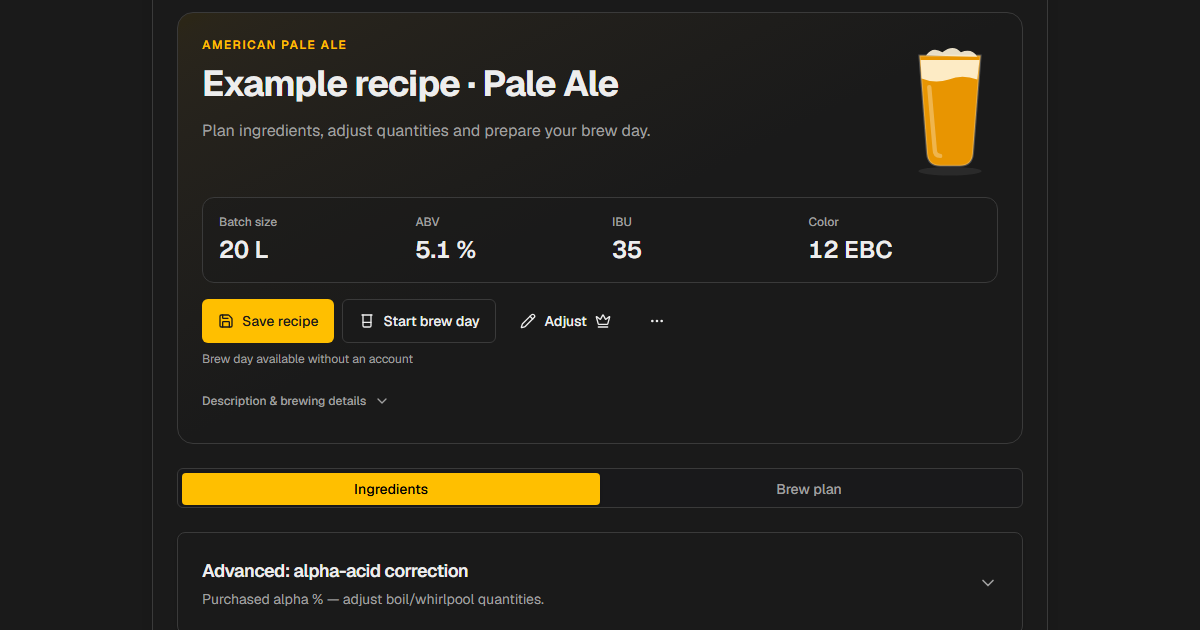
An AI beer recipe generator can turn an idea into a draft: grain bill, hop additions, yeast recommendation and mash schedule. Turning that draft into a useful brewing plan requires equipment inputs and a review of the calculated values. This guide describes the Craft Beer Wizard workflow. It is not an independent comparison trial or a guarantee of a particular brewing result.
1. Choose a style and a goal
Select one of the 73 styles offered in the recipe wizard, or describe your idea in Freestyle mode. Include flavor goals and constraints, such as a dry pale ale, restrained bitterness or hops you already own. Style ranges are a reference. Falling within a range does not by itself establish recipe quality or complete style compliance.
2. Supply batch and equipment details
Enter the batch size and equipment information available for your setup. Check which volume the recipe refers to and what efficiency is assumed. The same ingredients can produce different measured values on different systems. Treat missing data as assumptions, then replace those assumptions with measurements from your own equipment.
3. Review the grain bill and hop schedule
Before buying ingredients, check the draft:
Use the brewing calculators to cross-check values. Calculated numbers are predictions based on the inputs, not measurements from a brew day. A plausible range can still conceal an unsuitable ingredient or process assumption.
4. Prepare the mash and fermentation
Review mash steps, boil time, yeast and proposed fermentation conditions against your ingredients and temperature-control options. AI suggestions can be incomplete or unsuitable. Check manufacturer information for specific ingredient questions. Record actual quantities, temperatures and measured values during brewing so you can improve the recipe deliberately.
ChatGPT, Brewfather and brewing software
ChatGPT can also develop recipe ideas and take equipment details into account when supplied in the conversation. Available tools depend on how you use it; ChatGPT also supports web search. A blanket claim that a chatbot cannot use current information or equipment inputs would be inaccurate.
Craft Beer Wizard combines structured inputs, calculated brewing values and the subsequent recipe, brew-session and fermentation workflow. That helps organize the process, but does not establish generally superior recipe quality. Brewfather also offers an AI assistant. See brewing software compared for current features, prices and source links.
Free entry and Pro features
Guests can try up to three AI recipes per month. An account is needed to keep recipes in your collection. Recipe editing, scaling, BeerXML import and export, water chemistry and PDF brew-log export are Pro features. During alpha, Pro features are unlocked at no extra charge. The pricing page explains the current status, free limits and announced post-alpha plans.
After a BeerXML transfer, check ingredients, units and equipment settings in the destination tool. A successful import does not mean every field was interpreted identically.
Develop a recipe for your equipment
Start with a manageable idea, review the assumptions and record changes. After brewing, compare predicted and measured values. That makes the AI draft part of a repeatable recipe-development process for your setup.